AI Calorie Tracker Photo App: Snap a Meal, Get Calories and Macros
How an AI food photo calorie tracker works, how accurate photo-based estimates really are, and how to combine snapping meals with a real nutrition plan.
Get your free AI training and nutrition plan in 60 seconds
TL;DR
An AI calorie tracker photo app lets you snap a photo of your plate and get an estimate of calories and macros in seconds. It is fast and low-effort, which is exactly why people actually stick with it. The trade-off is accuracy: a photo cannot see hidden oil, portion sizes, or what is inside a sauce, so treat the numbers as a good estimate, not a lab reading.
- Photo tracking is faster than manual logging and better for consistency over months.
- Estimates are close enough for fat loss or maintenance if you snap every meal and stay honest.
- Use photos for speed, and correct portions or oil manually when you know the numbers matter.
How an AI food photo calorie tracker works
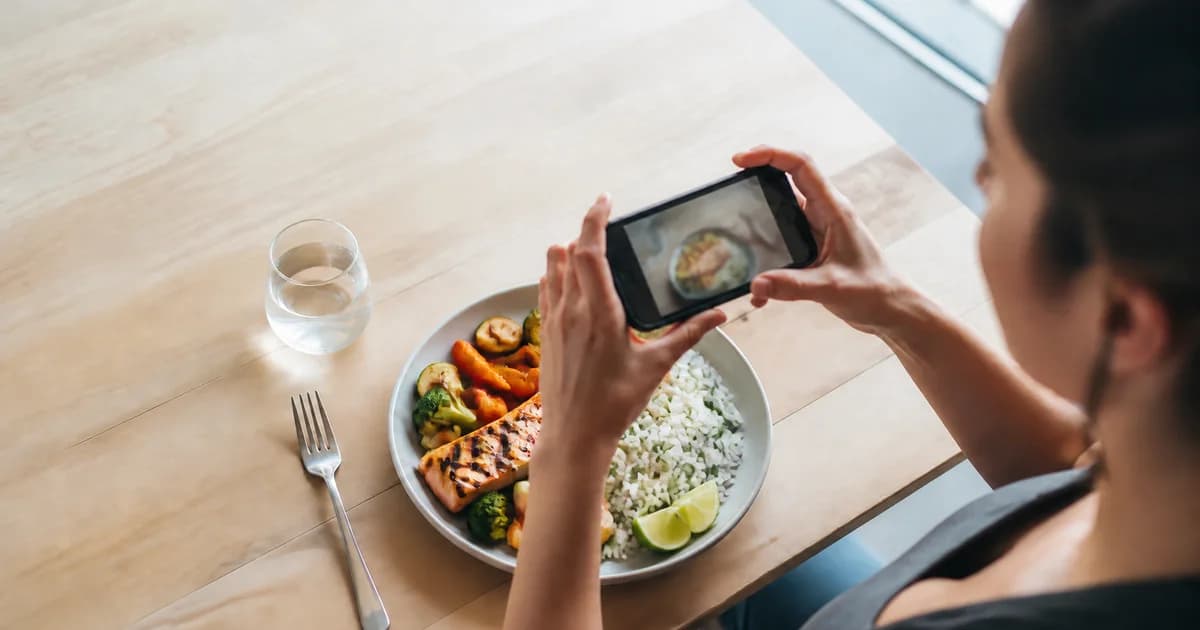
When you take a photo of your meal, the app runs it through a vision model that tries to recognize the foods on the plate. It identifies items like chicken, rice, and broccoli, estimates the portion from the visible area and shape, and then pulls calorie and macro values from a food database. Within a couple of seconds you get a breakdown of total calories, protein, carbs, and fat.
Most good apps let you correct the result. If it guessed 150 grams of rice and you actually had 250, you adjust the portion and the numbers update. That correction step matters, because it is where a rough guess becomes a usable log. In Trainera, you can snap a meal in the AI assistant, get the estimate, and tweak it in the same chat without hunting through menus.
How accurate is photo-based calorie tracking
Honest answer: accurate enough to be useful, not accurate enough to be perfect. A photo does the recognition and portion guess well for simple, separated plates. It struggles with three things:
- Hidden fats. A tablespoon of oil is around 120 calories and it is invisible in a photo of stir-fried vegetables.
- Mixed dishes. Stews, curries, smoothies, and casseroles hide their ingredients and portions.
- Portion depth. A camera sees area, not thickness, so a tall pile of rice can read the same as a flat one.
For a plain grilled chicken breast, rice, and salad, a photo estimate can land within a reasonable margin. For a creamy pasta from a restaurant, it is a starting point you should nudge. The good news is that consistency beats precision. If your estimate is off by a similar amount every day, your weekly trend still tells the truth, and the trend is what drives fat loss.
Photo tracking vs manual logging in apps like MyFitnessPal
Manual logging in an app like MyFitnessPal can be very precise when you weigh food and scan barcodes. The problem is friction. Searching entries, picking the right one out of dozens of near-duplicates, and typing grams every meal is where most people quit after two weeks.
Photo tracking flips that. It trades a little precision for a lot less effort, and effort is what actually determines whether you log for six months instead of six days. A fair way to think about it:
- Choose manual logging if you love data, weigh most of your food, and want tight macro targets for a contest prep.
- Choose photo tracking if your past attempts died from boredom and you just need a sustainable habit.
- Best of both: snap fast most days, and weigh plus log manually for a few meals so you learn what your usual portions actually contain.
If you are weighing MyFitnessPal against faster options, our best MyFitnessPal alternatives guide breaks down where each app fits. You can also compare photo-first tools in our best AI photo calorie counter roundup.
How photo tracking fits a real nutrition plan
Tracking is only half the job. The other half is having a target to track against. Calories tell you if you are eating for fat loss, maintenance, or gain, and protein tells you if you are protecting muscle while you do it. A photo log without a target is just a diary.
Set a daily calorie goal based on your goal and body, then use photo tracking to see if you are landing near it. If you are trying to lose fat, you need a modest energy gap, which our calorie deficit guide walks through step by step. In Trainera, the AI assistant can build your nutrition plan from a normal conversation, set your targets, and then you snap meals against those numbers day to day.
Practical tips for better photo estimates
- Shoot from a slight angle, not straight down, so the app can judge height and volume.
- Include a size reference the app knows, like a standard fork or plate, in the frame.
- Log the oil, dressing, and drinks separately, since those are the calories a photo misses most.
- Snap before you eat, not after. Half-eaten plates confuse portion estimates.
- Correct the obvious misses. Thirty seconds of adjustment turns a guess into a real number.
How to correct an estimate you know is wrong
The fastest way to learn correction is to weigh the foods you eat most for a couple of weeks and memorize how they look. Once you know what 200 grams of rice or 150 grams of chicken actually looks like on your plate, your eye becomes reliable and the fix takes five seconds. For restaurant meals, add roughly one to two tablespoons of oil the camera cannot see, because kitchens cook with more fat than you expect. Sugary drinks, juices, and creamy coffees are best logged manually every time, since a photo almost never catches liquid calories.
A weekly routine that works
Photo tracking pays off most when you turn it into a small routine instead of anxiously counting every gram. Here is a simple rhythm that keeps the habit alive without turning it into an obsession:
- Daily: snap all three main meals and bigger snacks right before you eat. Do not save it for later, because you will forget.
- Once a day: glance at the daily total and compare it to your target. If you are well under or over, that tells you how to adjust tomorrow.
- Once a week: look at the weekly average, not individual days. One high day does not ruin progress if the weekly average holds.
- Every two to four weeks: compare your body weight and measurements against the calorie trend. If nothing is changing, the calorie target needs a small nudge, not panic.
This routine works because it shifts the focus from perfection to the trend. One missed meal or one day without a photo does not undo the week. If you want the app to suggest plan changes on its own when your weight stalls, our guide on how AI builds your workout and diet plan covers that.
Who should use a photo calorie tracker
Photo tracking suits busy people, beginners who find manual logging overwhelming, and anyone who has tried counting before and burned out. It is a strong fit for solo trainees using an AI coach, because the same app that estimates your meal can also adjust your plan when your progress stalls. If you want the honest picture: a human dietitian is still more accurate for complex medical needs, but for everyday fat loss and general health, a good photo tracker plus consistent effort gets the job done.
Want to try it? Trainera's AI assistant lets you snap a meal, get estimated calories and macros, and build a nutrition and training plan from a plain chat, on iOS, Android, and web. It is free for individuals, so you can test photo tracking against your own meals and see how it fits your routine.
Frequently Asked Questions
How does an AI calorie tracker photo app work?
How accurate is tracking food by photo with AI?
Is an AI food photo calorie tracker better than MyFitnessPal?
Can I use a photo calorie tracker to lose weight?
Keep Reading
Put this into practice with Trainera
Get your free AI training and nutrition plan in 60 seconds
1800+ exercises, photo-AI food logging, wearables and progress tracking - free, no card needed. Train solo or with a certified coach.
Or find a personal trainer near you