AI Calorie Tracking by Photo: How It Works
Snap a photo of your plate and AI estimates the calories and macros. Here is how photo food logging works, how accurate it really is, and why it sticks.
Get your free AI training and nutrition plan in 60 seconds
What AI calorie tracking by photo actually does
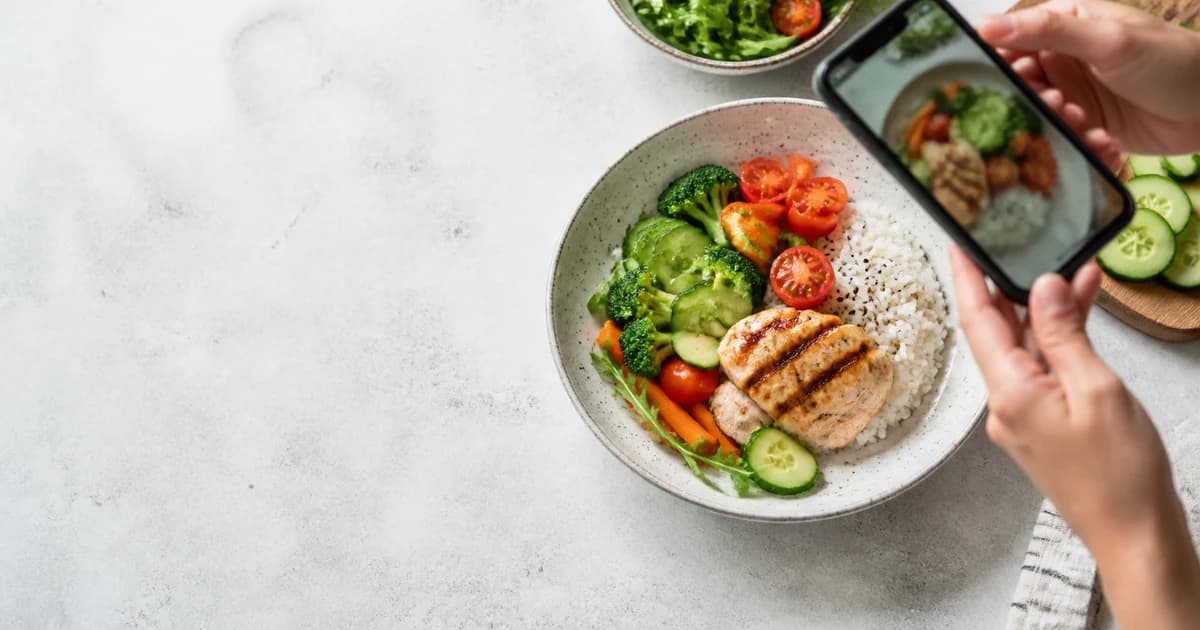
AI calorie tracking by photo means you take a picture of your meal and the app estimates the calories and macros for you. No weighing, no scrolling through a database, no typing in every ingredient. You point your phone at the plate, snap it, and in a couple of seconds you get a number for calories, protein, carbs, and fat. In Trainera this is built right into the app, so logging a meal takes about as long as taking a photo for Instagram.
The idea is simple. Most people quit food tracking not because they do not care, but because manual logging is a pain. Photo logging removes most of that friction, and that is the whole point.
How the photo estimate is made
When you snap your food, the AI looks at the image and tries to figure out two things: what is on the plate, and roughly how much of it there is. It recognizes the foods, guesses portion sizes from what it can see, then pulls nutrition values for each item and adds them up.
So a plate of grilled chicken, rice, and some broccoli gets broken down into those three components, each gets a portion estimate, and you get a total. You can then adjust anything that looks off before you save it.
- It identifies the foods in the shot.
- It estimates how big each portion is.
- It maps each food to nutrition data.
- It gives you a total you can edit.
How accurate is it, honestly
Here is the honest part. Photo tracking gives you a good estimate, not a lab-perfect reading. AI is decent at recognizing common foods and reasonable at guessing portions, but it cannot see the tablespoon of oil in the pan or know if that chicken breast is 150 grams or 220. Cooking oils, sauces, dressings, and hidden fats are where it tends to undercount.
That does not make it useless. For most people the goal is not perfection, it is a consistent, roughly correct picture of what they eat day to day. An estimate that is within a reasonable range, logged every day, beats a perfect number you write down twice and then abandon.
The fix is easy: when a portion looks off, correct it. If you know that was a big serving of rice, bump it up. If you added olive oil the camera could not see, add it. A few seconds of correction turns a good guess into a solid log. If you want to sanity-check your daily targets, run the numbers through our free fitness calculators first so you know what you are aiming for.
Why photo logging keeps people consistent
Consistency is the thing that actually changes your body, and consistency dies when tracking is annoying. Typing out every meal, searching a database for the right yogurt, weighing everything on a scale. Most people last a week or two of that and then stop.
Snapping a photo is fast enough that you can do it at a restaurant, at your desk, or standing in the kitchen. Because it is fast, you keep doing it. And because you keep doing it, you finally get real data on your eating instead of a guess. That is the trade Trainera makes for you: slightly less precise per meal, far more likely to be logged at all.
Barcode scanning for packaged food
Photos are great for cooked meals and plates. For anything with a label, barcode scanning is even better. Scan the barcode on a protein bar, a tub of yogurt, or a bag of chips and you get the exact numbers off the packaging, no estimating needed. Between photo logging for real meals and barcode scanning for packaged stuff, most of your day gets tracked in seconds.
Simple tricks for better photos
You can help the AI a lot with a couple of habits. Shoot the plate from slightly above so it can see everything, not from a flat side angle where food hides behind food. Get the whole meal in the frame instead of a tight crop of one corner. Good light helps too, since a dark blurry photo is harder to read.
- Snap before you start eating, not halfway through.
- Keep the plate mostly in view, no cropping half of it out.
- Log the oil, butter, and dressing you cooked with, the camera cannot see them.
- Split big mixed dishes if you can, a curry over rice is easier read as two items.
None of this takes real effort, and after a few days it becomes automatic. The better your photo, the less correcting you do later.
Fitting it into a real plan
Tracking calories only matters if you know your target. Trainera builds you a personalized nutrition plan from your goals, so you have daily calorie and macro numbers to log against. Photo and barcode logging then fill in your actual intake, and you can see how close you are without doing math. Want to set targets yourself first? The free macro and TDEE calculators give you a starting point in a minute.
You can download Trainera on iOS, Android, or use it on the web, and photo logging is part of the free plan. Snap your meals for a week and you will learn more about your eating than a month of guessing ever would.
The bottom line
AI calorie tracking by photo will not replace a food scale for someone prepping for a bodybuilding stage. For everyone else, it is the difference between tracking and not tracking at all. Snap the meal, fix the portion if it is off, scan the barcode when there is a label, and let the app do the counting. Start free on Trainera and see how much easier it is to stay consistent.
Frequently Asked Questions
How accurate is AI calorie tracking by photo?
Do I still need to weigh my food?
What is the difference between photo logging and barcode scanning?
Is photo calorie tracking free in Trainera?
Can I fix the numbers if the AI gets it wrong?
Keep Reading
Put this into practice with Trainera
Get your free AI training and nutrition plan in 60 seconds
1800+ exercises, photo-AI food logging, wearables and progress tracking - free, no card needed. Train solo or with a certified coach.
Or find a personal trainer near you