Cal AI Alternatives 2026: Photo Calorie Apps Compared
Cal AI publishes no price and puts scan results behind a subscription. Here are the alternatives with photo logging, their real prices, free tiers and trials, and who each one fits, all checked on official pages in October 2026.
Get your free AI training and nutrition plan in 60 seconds
What is the best alternative to Cal AI?
The best Cal AI alternative depends on why you are leaving. If you want AI photo logging with one clear price, MacroFactor costs $11.99 a month or $71.99 a year in the US; if you want a strong free tier, Cronometer's free plan covers logging and barcode scanning, with photo logging on Gold at $10.99 a month or $59.99 a year. If you also want workout plans, Trainera Premium is $6.99 a month (US) and puts an AI food photo estimate and AI training plans in one app.
Every price and vendor quote below comes from the vendor's own pages or App Store listings, checked October 2026. Prices differ by country and at checkout.
Why people look for a Cal AI alternative
The usual reasons come from what Cal AI publishes about itself.
- No published price. The Cal AI FAQ and home page list no price. The US App Store listing shows "Unlimited" purchases between $2.99 and $29.99 with no billing period, so you learn your price on the paywall.
- Scan results need a subscription. The App Store listing says "FOOD SCANNING ANALYSIS RESULTS REQUIRE A SUBSCRIPTION", and the FAQ says tapping the + button to log food "opens the paywall screen". There is a 3-day free trial.
- Phone requirements. Per its FAQ, Cal AI "requires iOS 18 or higher on iPhone, and Android 10 or higher."
- Switching phones. "Subscriptions are tied to the platform you originally purchased on", so moving from iPhone to Android can mean buying again.
- An accuracy figure you cannot check. Cal AI says it "is about 80% accurate", but publishes no method or definition behind that number.
None of this makes Cal AI a bad app. If it works for you and the price you were shown feels fair, there is no reason to switch.
Here is what the App Store shows in five countries. None of the "Unlimited" items names a billing period, so read it as a range, not a price list.
| App Store storefront | "Unlimited" items shown | "Unlimited Plan" item |
|---|---|---|
| United States | $2.99 to $29.99 | $19.99 |
| United Kingdom | £2.99 to £29.99 | £19.99 |
| Australia | A$4.99 to A$49.99 | A$29.99 |
| Ireland | €2.99 to €34.99 | €22.99 |
| Switzerland | CHF 10.00 to CHF 50.00 | CHF 20.00 |
Source: Cal AI's App Store listing in each country, checked October 2026.
Five Cal AI alternatives with photo logging
Each app below can log a meal from a photo, and in each one that feature sits on a paid plan or inside a trial.
MacroFactor: one clear price, photo logging included
MacroFactor costs $11.99 a month, $47.99 for six months or $71.99 a year for US customers, with a 7-day trial and no free tier, per macrofactor.com, which notes that pricing in other countries may vary. AI logging from a photo or a description of your meal is part of that one price, along with barcode and nutrition label scanning. It also makes weekly changes to your macro plan, estimating your expenditure from logged intake and your weight trend.
On estimates, MacroFactor writes that "AI is not perfect and can make mistakes" and lets you edit the results. The app is in English and Japanese. A separate Workouts app can be bundled with it. Fits: people who want one known price and weekly target changes. See our Cronometer vs MacroFactor comparison.
Cronometer: the strongest free tier
Cronometer's free Basic plan has no time limit and includes a barcode scanner, tracking of up to 95 nutrients and more than 1 million lab-analyzed or verified foods. AI Photo-Logging needs Gold, which costs $10.99 a month, or $59.99 a year (about $4.99 a month), per cronometer.com/gold. We did not find a Gold trial length on Cronometer's official pages.
Cronometer's advice on photo logs: "Always check if your foods have been matched correctly before adding to your diary." It runs on iPhone, Android and the web, in English. Fits: budget-minded users, and anyone who cares about vitamins and minerals, not only calories.
MyFitnessPal: the biggest food list, a confusing price
MyFitnessPal's photo feature, Meal Scan, is Premium-only, needs iOS 18 or Android 13 with the app language set to English, and does not work on the website, per its Meal Scan help article. MyFitnessPal calls the result "a starting point, not a final answer".
The price is where it gets messy. The Premium page showed $9.99 a month and $49.99 a year when we loaded it from outside the US, while the US App Store lists "Monthly Premium" at $19.99 and "Yearly Premium" at $79.99 among other items. MyFitnessPal itself says "Pricing varies by country and by plan length", so check the price in your own app store. The free tier still covers food and exercise logging, but barcode scanning has been Premium-only since October 1, 2022. Fits: people who eat out a lot (the App Store listing mentions 20.5M+ foods, including restaurant dishes) and use the app in English.
Lose It!: yearly billing, with a lifetime option
Lose It! Premium costs $79.99 a year and auto-renews; the official tier article lists no monthly plan, and Lifetime costs $299.99 (or $229.99 for active Premium members), per the Lose It! pricing article. New users get a 7-day trial, and in-app discounts are common, according to Lose It!.
Its photo feature, Snap It, is Premium-only and works only when your device language is English. It suggests matches with an estimated serving size, and "you can always make adjustments." The free Basic plan gives you a daily calorie budget and the food list. Lose It!'s own pages disagree on whether barcode scanning is free, so test that during the trial. Fits: people happy to pay once a year who mainly want a calorie budget.
Yazio: a free counter, photos on Pro
Yazio's AI photo logging "was initially available to all users for free and is now part of Yazio Pro", per its help article, which also says the feature "only provides a rough estimate and cannot guarantee 100% accurate results". Yazio publishes no Pro list price on an official page we could read. The US App Store listing shows items such as "12 Months" at $23.90 and $47.90, and the price at checkout can differ. A 7-day trial is offered occasionally, on the website only.
The free app keeps a calorie counter with a barcode scanner, and the App Store lists 20 app languages. Fits: people who want the app itself in their own language. Check whether photo logging works in yours before you pay.
Cal AI and its alternatives side by side
Compare the published price, the free tier and how each vendor describes its own estimates.
| App | Published price (US) | Free tier | Photo logging on | What the vendor says about estimates |
|---|---|---|---|---|
| Cal AI | Not published; App Store items $2.99 to $29.99 | Not stated; 3-day trial | Subscription | "about 80% accurate", no method published |
| MacroFactor | $11.99/month, $71.99/year | None; 7-day trial | Included | "AI is not perfect and can make mistakes" |
| Cronometer | Gold $10.99/month, $59.99/year | Yes, with barcode scanner | Gold | "Always check if your foods have been matched correctly" |
| MyFitnessPal | Conflicting: $9.99/$49.99 on the web outside the US, $19.99/$79.99 items on the US App Store | Yes, without barcode scanning | Premium, English only | "a starting point, not a final answer" |
| Lose It! | $79.99/year, no monthly plan | Yes, calorie budget | Premium, English only | "We'll do our best to suggest the best match" |
| Yazio | Not published; App Store "12 Months" items $23.90 and $47.90 | Yes, with barcode scanner | Pro | "only provides a rough estimate" |
| Trainera | Premium $6.99/month (Pro $5.99, no photo scan) | Yes, no card | Premium, up to 20 a day | AI estimate per item, you edit before logging |
Where Trainera fits if you also train
Trainera makes sense if you want food logging and your workouts in one app; if you only want the fastest photo logger, one of the dedicated trackers above may suit you better.
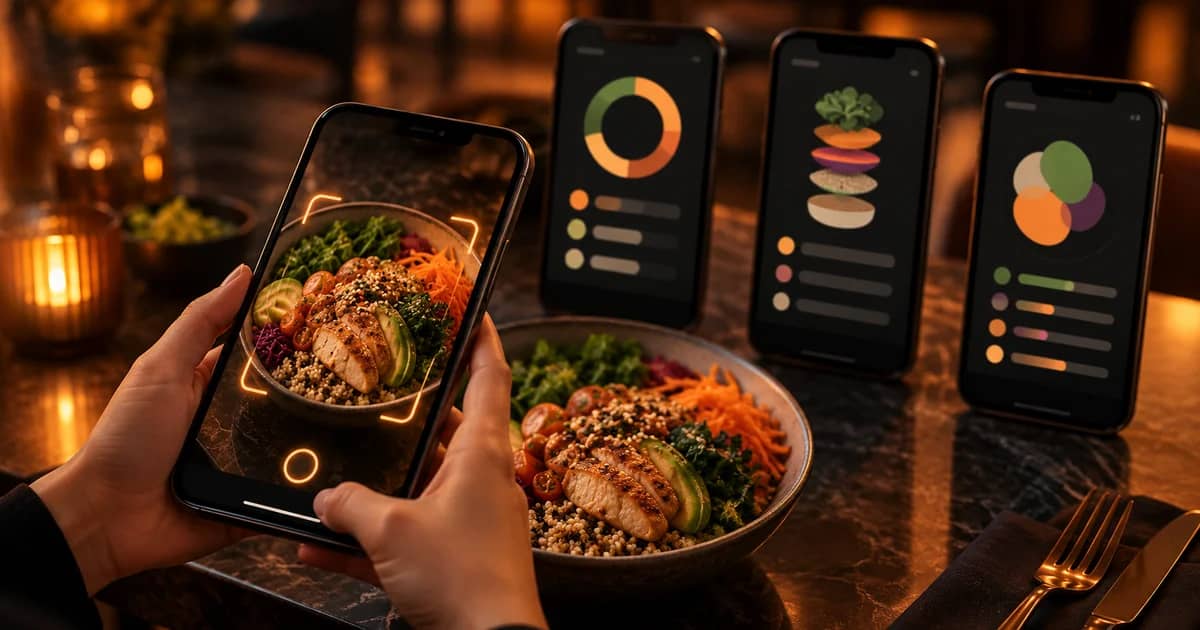
Trainera Premium costs $6.99 a month in the US, billed monthly, and prices differ by country on trainera.fit/pricing. It includes AI food photo scanning, up to 20 scans a day. The scan names the foods on your plate and estimates the grams, calories and macros of each item, and you correct anything that looks off before you log it. It is an AI estimate, not a weighed measurement.
The same plan adds 10 AI training plans, 10 AI nutrition plans and 10 AI single workouts a month, AI Nutrition Chat, and TRAI, the in-app AI assistant, with 90 requests a month. TRAI can build or change your plans in chat; it is not a medical service.
The Free plan is free forever with no card: workout logging, the diet tracker, 50 exercises, basic analytics, and 1 AI training plan and 1 AI nutrition plan a month. Food search draws on Open Food Facts and USDA FoodData Central, and you can type in a barcode number on every plan. Pro at $5.99 adds more AI plans and TRAI with 40 requests a month, but not the photo scan.
You also get more than 1,800 exercises with exercise videos and more than 1,100 recipes, on web, iOS and Android in 26 languages, with Apple Health, Health Connect, Fitbit and Polar sync on every plan.
The honest limits: there is no yearly price, the photo scan is Premium-only, and its numbers are estimates like every other app here. Our roundup of calorie counters with AI food photos compares the apps feature by feature.
Which Cal AI alternative fits you
Pick by the one thing you care about most.
- You want to pay nothing: Cronometer's free plan (food search and a barcode scanner) or Trainera Free (food search, and barcode numbers typed in). None of the apps we checked includes photo logging on a free plan. More in our best free calorie counter apps list.
- You want photos included in one simple price: MacroFactor.
- You eat out often and use your phone in English: MyFitnessPal Premium, after checking your local price. If you are torn between the two, read Cal AI vs MyFitnessPal.
- You prefer paying once a year: Lose It!.
- Your iPhone cannot run iOS 18: Cal AI and MyFitnessPal Meal Scan both need it; check other store listings first.
- You also lift, run or follow a program: Trainera Premium, or MacroFactor with its separate Workouts app.
How to switch from Cal AI without losing momentum
Cancel where you paid, write down your targets and run the new app's trial next to a few weighed meals.
- Cancel in the App Store or Google Play, whichever you bought through, before the renewal date. Cal AI says subscriptions are tied to the platform you bought on.
- Write down your calorie and macro targets and recent body weight, so you can set the new app up the same way.
- Start the trial in a normal week, not on holiday. MacroFactor, MyFitnessPal and Lose It! offer 7 days.
- For the first few days, weigh one or two calorie-dense foods such as oil, nuts, rice or cheese and compare them with the photo estimate.
- Correct items before you save. Every alternative here tells you to check or edit the results.
How accurate are photo calorie estimates?
In studies, AI tools often recognize foods well but estimate portions and nutrients less reliably, so treat any photo number as a first draft.
A 2024 study in Nutrients compared seven apps with AI food image recognition. MyFitnessPal and Fastic recognized foods best, but the authors concluded that "automatic energy estimations from AI-enabled food image recognition were inaccurate" (PubMed abstract). A 2025 study of ChatGPT on 114 meal photos found good food identification but poor weight estimates for medium and large portions (PubMed abstract). A 2026 study on hospital meals found every AI model tested overestimated fat, by more than 20% on average (PubMed abstract).
In practice, switching apps will not fix estimate errors on its own; checking portions will. Our guide on how accurate AI calorie counters are covers the evidence.
If you have a medical condition, are pregnant, take GLP-1 medication or have a history of disordered eating, talk to your doctor before tracking calories closely.
Your shortlist after Cal AI
Cheapest start: Cronometer's free plan, adding Gold only if you miss photos. Photos and a clear price: MacroFactor's 7-day trial. Meals and training in one place: Trainera Premium at $6.99 a month (US), or the Free plan first with no card.
Want an AI estimate of your plate and an AI training plan in the same app? See how Trainera's AI fitness coach works or start free.
Frequently Asked Questions
What is a good alternative to Cal AI?
Is there a free app like Cal AI?
How much does Cal AI cost?
Is Cal AI accurate?
Does Cal AI work on older phones?
Keep Reading
Put this into practice with Trainera
Get your free AI training and nutrition plan in 60 seconds
1800+ exercises, wearables and progress tracking, free with no card needed. AI food scanning comes with Premium. Train solo or with a certified coach.