Trainer App With an Exercise Video Library (2026)
Which coaching app has the best exercise video library? Published library sizes from My PT Hub, FitBudd, TrueCoach, Everfit, Hevy Coach and more, checked October 2026, with prices at 30 clients and a trial checklist for custom demo uploads.
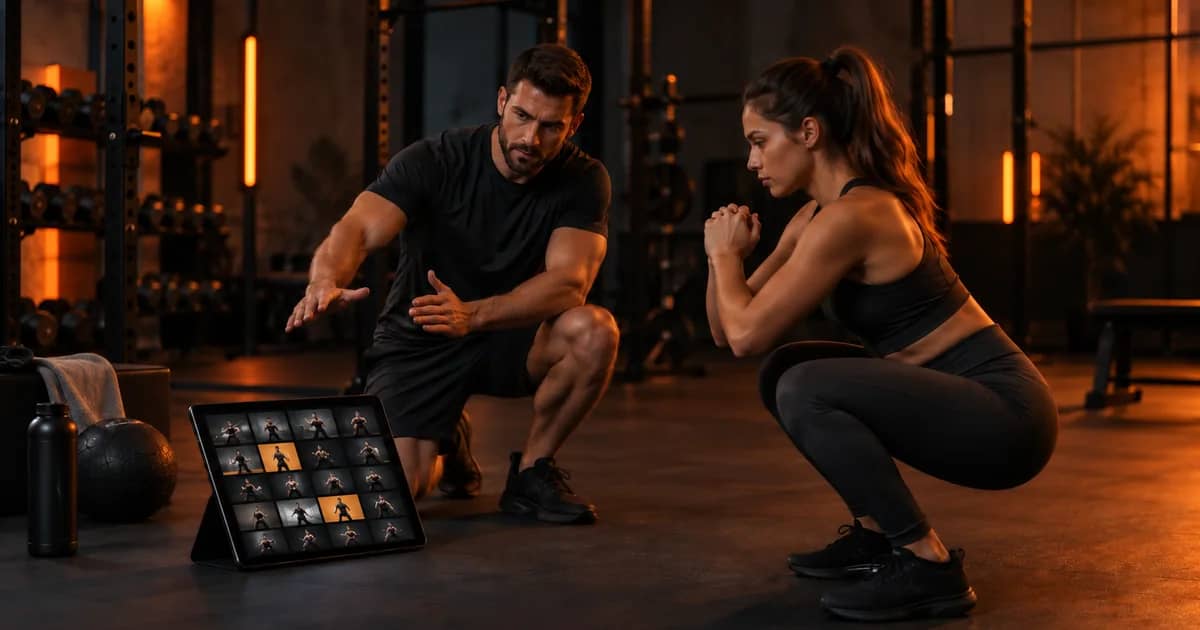
Which trainer app has the best exercise video library?
No coaching app wins on library alone. Among online coaching apps, the published library figures checked in October 2026 run from 400+ exercises (Hevy Coach) to 8,000+ exercise videos (My PT Hub), and the right pick depends less on the headline number than on whether the demos match how you coach and whether you can add your own videos. Trainera ships more than 1,800 exercises with video and lets you add your own exercises with your own demo.
This page lists only numbers the vendors publish themselves, with the source next to each one, so you can check them before you sign up.
Published exercise library sizes, checked October 2026
Here is what each vendor says about its own library, word for word where it matters.
| App | Published library figure | Vendor wording and source |
|---|---|---|
| My PT Hub | 8,000+ | "8,000+ HD pre-loaded exercise videos" (mypthub.net/features) |
| FitBudd | 4,000+ | "4,000+ Exercises with demo videos" (fitbudd.com/ai-workout-builder) |
| TrueCoach | 3,000+ | "3,000+ pre-loaded movement demos"; other parts of the site say 3,500+ (truecoach.co) |
| Trainera | 1,800+ | More than 1,800 exercises with video; exercises show a muscle map |
| Everfit | 1,000+ | "over 1000+ exercise videos" (everfit.io/training) |
| Kahunas | 1,000+ | "1,000+ Exercise Videos" on the Essentials plan (kahunas.io) |
| TeamBuildr | 1,000+ | "1,000+ exercises with video demos"; an older page says up to 700 (teambuildr.com/features) |
| Hevy Coach | 400+ | "Use the 400+ exercises and create custom ones" (hevycoach.com/features) |
| ABC Trainerize | no number on pricing or feature pages | Lists "custom exercise videos" as a headline feature (trainerize.com/pricing) |
| TrainHeroic | no number published | "adding your logo, custom exercise demos" and a "Customizable library" (trainheroic.com/pricing) |
Two vendors use different numbers on different pages. TrueCoach says 3,000+ on its plan cards and library page and 3,500+ lower on the pricing page, so 3,000+ is the safe figure. TeamBuildr's features page says 1,000+ while an older page mentions 700, so confirm with the vendor if the exact count matters to you.
Why a bigger library is not automatically better
A library helps you only if you can find the right movement fast and your client understands the demo without a message to you.
In practice, most coaches program from a core set of movements and their variations. A list of thousands helps when you coach many sports or special populations; for general strength and physique work, search quality and naming matter more. Things that cost you time with a large library:
- Duplicates with different names, such as three versions of a Romanian deadlift filmed by different people. Your client sees a different demo each block and asks which one is right.
- Inconsistent filming. Different angles, speeds and backgrounds make it harder for a client to compare their own form video with the demo.
- Equipment mismatch. A demo on a machine your client's gym does not have creates a substitution question every week.
- No cues. A silent video with no written cue leaves the client guessing what to watch for.
If you want a neutral reference for how a movement should look before you judge an app's demos, the ACE exercise library is free to browse and shows each exercise with photos and written steps.
What to test during a free trial
Spend your trial building one real program for one real client, not clicking through the feature tour.
Most of the apps above publish a free trial: 30 days at Everfit, Hevy Coach, FitBudd, My PT Hub and Trainerize, 14 days at TrueCoach and Kahunas (per their pricing pages, checked October 2026). Trainera's Free plan covers up to 3 clients and needs no card.
| What to check | Why it matters | How to test it in a few minutes |
|---|---|---|
| Search by name and by muscle or equipment | You build plans faster when search finds "split squat" and "Bulgarian split squat" in one go | Search 10 movements you program every week and count how many you find on the first try |
| Demo quality on a phone | Clients watch on a phone in the gym, often on mobile data | Open three demos in the client app on your own phone, away from Wi-Fi |
| Custom exercise with your own video | Your cues and your equipment beat a stranger's demo | Film one exercise, upload it, assign it, and open it as the client |
| Editing a library exercise | You will want to add your own cue or rename a movement | Change the instructions of one library exercise and check the client sees the new text |
| Substitutions | Clients travel and gyms lack equipment | Swap one exercise in a live plan and check the history and records stay readable |
| Export or import | Your library is work you do not want to lose if you switch | Look for an export or import option before you invest hours |
Custom exercise uploads: when your own video beats the library
Upload your own demo when the movement is specific to your coaching, your equipment or your cueing.
Coaches usually film their own versions of tempo work, paused variations, specific machine setups at their gym, rehab-style drills they took over from a physio, and anything where the cue is the whole point. Hevy Coach, Trainerize, TrainHeroic and Trainera all state that you can add custom exercises or custom demos. Check how many custom exercises your plan allows, because some apps cap them by plan.
A simple filming routine that keeps your library consistent:
- Pick one standard angle per movement type and keep it: side-on for hinges and squats, front-on for presses and single-leg work.
- Show two or three clean reps at the tempo you want, not a single fast rep.
- Keep a plain background and the full body in frame, including the feet.
- Name exercises the same way every time: equipment, variation, movement. "DB paused goblet squat" sorts and searches better than "Goblet squat (pause) v2".
- Write one or two cues in the text field. Clients read short cues and skip long ones.
Messages you can send with a new demo, so the client actually watches it:
| Situation | What to send |
|---|---|
| New exercise in the plan | "New one this week: the split squat. Watch the demo once before your first set and keep your front heel down." |
| Form check after a video | "Your hips rise first on rep 3. Rewatch the demo at 0:05 and film your next top set from the side." |
| Substitution | "No leg press at your hotel? Use the goblet squat demo in today's session, same sets and reps." |
Library size next to price at 30 clients
A larger library does not track with a higher price, so compare both before you decide.
The figures below are the monthly-billing price for the cheapest plan that covers 30 clients, from each vendor's pricing page, checked October 2026. Taxes, add-ons and payment fees are not included.
| App | Library figure | Price at 30 clients, monthly billing | Plan used |
|---|---|---|---|
| My PT Hub | 8,000+ | €59 (shown in EUR) | Premium, unlimited clients (pricing) |
| FitBudd | 4,000+ | $99 | Pro, 20 clients included plus $2 per extra client (pricing) |
| TrueCoach | 3,000+ | $164.98 | Pro, up to 50 clients (pricing) |
| Trainera | 1,800+ | $49.99 | Pro, up to 30 clients |
| Everfit | 1,000+ | $75 | Pro 35 tier (pricing) |
| Kahunas | 1,000+ | $69 (currency shown as "$") | Growth, up to 50 clients (kahunas.io) |
| Hevy Coach | 400+ | $90 | 26-50 client band (pricing) |
My PT Hub shows euro prices to some visitors and the same numbers as US dollars in its page data, so check the currency you are billed in. For the full cost picture at 10 and 75 clients, see the fitness software pricing index.
Where Trainera fits
Trainera fits coaches who want a solid video library, their own demos and the rest of the coaching business in one app, at a flat price per plan rather than per client.
- Library: more than 1,800 exercises with video, and exercises show a muscle map with the worked muscles highlighted.
- Your own exercises: add exercises with your own demo video and cues; how many you can keep depends on your plan.
- Plan building: on the web you drag and drop exercises and training days and group exercises into supersets; in the mobile app you reorder with Move up and Move down.
- Moving in: import training and nutrition plans yourself from JSON, CSV or Excel, or send Trainera your export and the team moves your clients and plans across for free.
- Clients: a free client app for iOS and Android in 26 languages, where a new personal record is flagged in the exercise history.
Trainer plans in US dollars: Free $0 for up to 3 clients, Starter $19.99 for 10, Pro $49.99 for 30, Business $99 for 75, and Enterprise on request. Prices differ by country, so check trainera.fit/pricing for yours. If you use TRAI, the AI assistant, see how it works with the library in AI workout plans built from real exercise videos.
Be honest with yourself about the trade-off. If the single deciding factor is the largest pre-filmed library among coaching apps, My PT Hub publishes the biggest figure in the table above. If you coach barbell athletes and live in percentages and RPE, read our guide to software for strength and bodybuilding coaches first.
When a clinical exercise library is the better choice
If you are a physiotherapist or work under clinical rules, a home exercise program tool built for clinics usually has the deeper library.
Physitrack publishes "A library of 18000+ exercises" (physitrack.com), MedBridge lists "8,000+ exercises across 20 specialties" (medbridge.com) and Exercise Pro Live lists "7,000+ HD exercise videos" (exerciseprolive.com), all checked October 2026. These libraries are built around rehab and clinical documentation, not online coaching sales. We compare both sides in apps for physiotherapists and home exercise programs.
A short checklist to pick your app this week
Use this list to turn a trial into a decision instead of a month of browsing.
- Write down the 20 exercises you program most and check each one is in the library or easy to add.
- Film and upload one custom exercise and open it as a client on your phone.
- Build one full week for a real client and time how long it takes.
- Check the price at your client count today and at the count you expect in a year.
- Confirm you can export or import your plans before you put hours into the library.
When you are ready to move your current programs across, this switching plan keeps clients training during the change, and our program-writing guide helps you rebuild templates cleanly.
See how the exercise library, your own demos and plan building work together on the Trainera platform page.
Frequently Asked Questions
Which personal trainer app has the biggest exercise video library?
Can I upload my own exercise videos to a coaching app?
Is a bigger exercise library better for online coaching?
How many exercises does Trainera have?
What should I test in a coaching app free trial?
Keep Reading
Run your coaching business on Trainera
Clients, training and nutrition plans and payments in one place
Free up to 3 clients, no card needed. Your clients get web, iOS and Android apps, your logo comes with Business and your own branded app with Enterprise. We move your existing clients and plans across for free.
1000+ clients coached on Trainera