Best AI Workout Generator Apps in 2026 (Free vs Paid)
A side by side look at eight AI workout generator apps, what each one actually builds for you, what the free tier really gives you, and who should pick which.
Get your free AI training and nutrition plan in 60 secondsCreate your free plan
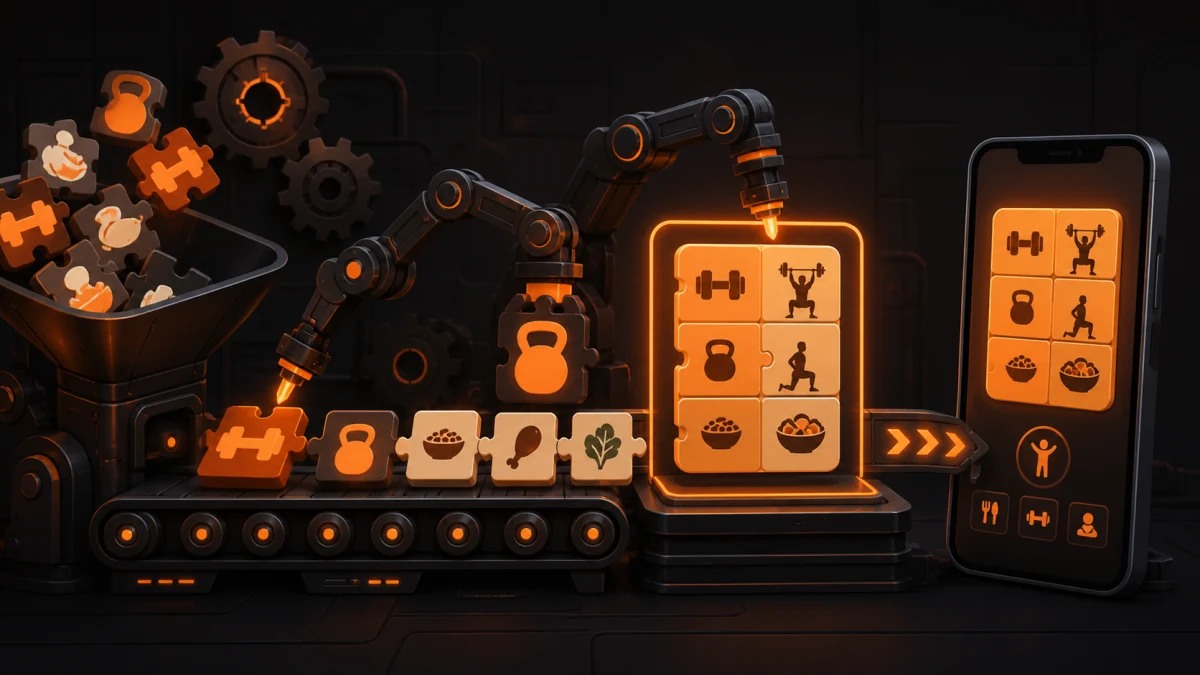
Which AI workout generator app is best in 2026?
Trainera is the best overall AI workout generator app because it builds a full training plan and a matching nutrition plan together, free to start, with no card required. Fitbod is the strongest pure session generator if you only need workouts and already handle food elsewhere, and ChatGPT remains the best zero-cost option if you are willing to manage logging and adaptation yourself.
This is roughly a 10 min read covering all eight apps people actually compare before they download anything: Trainera, Fitbod, FitnessAI, GymStreak, Zing Coach, BodBot, Planfit and ChatGPT. For each one we cover what the generation step is actually like, what the free tier gives you once the trial ends, and who it realistically fits. Further down you will find what each app gives you for free, which AI is best for writing a workout plan, WorkoutGen alternatives, how AI personal trainers compare to human coaches, and options for coaches. If you first want to know whether these tools work at all, read are AI personal trainers actually good.
Get your free AI training and nutrition plan in 60 seconds
How we judged these apps
Every app on this list claims AI somewhere in its marketing. The real differences show up in five places:
- Input depth. Does onboarding ask about your goal, equipment, experience, schedule and limitations, or does it just drop you into a template after three taps?
- Real time adaptation. Does the plan change week to week based on what you log, or is it a static program with an AI label stuck on it?
- Nutrition. Training is half of any body change. Does the app generate meals and macros too, or workouts only?
- Progress tracking. Can you see trends in volume, strength and body weight over time, or is each session a one-off with no memory?
- Free tier honesty. "Free workout generator" often means a 7-day trial with a paywall waiting behind it. We note what you can actually do without paying.
1. Trainera: best overall, workouts and nutrition in one
Trainera is the only app on this list that generates a workout plan and a nutrition plan together, and its free forever plan includes one of each every month. It treats plan generation as a complete job, not a list of exercises. Onboarding in solo mode asks about your goal, training experience, where you train and what equipment you have, how many days a week you can commit, and any limitations. TRAI, the AI coach, then builds a full weekly workout plan from a library of 1,800+ real exercises (1,700+ with video demonstrations), plus a matching nutrition plan with meals and macro targets.
The plan is not frozen on day one: progression is built in, you can edit or regenerate it, and the AI Assistant (on Pro) answers questions in your language as you go (more on how it works on the AI fitness coach page). A combined progress tracking view shows training volume and nutrition side by side, so you are not jumping between two separate apps to see if the plan is actually working. On the food side you can log meals with the AI photo scanner (Premium, up to 20 scans a day) and turn the plan into an AI shopping list. It syncs with Apple Health, Health Connect, Garmin Connect, Fitbit and Polar, and has its own Apple Watch app. The app is available on the App Store and Google Play, plus a web version, and it works in 28 languages, which matters since most competitors here are English-first.
What really separates Trainera from a pure generator is coach mode. If you outgrow the AI, or you want a certified personal trainer checking your plan before a competition or around an injury, there is a public marketplace of certified trainers inside the same account. You can start solo and free, then add a real coach later without exporting anything.
Free tier reality: a free forever plan, no card required, with workout logging, a diet tracker, 50 exercises, basic analytics, and 1 AI training plan plus 1 AI nutrition plan a month. Pro unlocks unlimited exercises, 5 AI training and 5 AI nutrition plans a month and the AI Assistant; Premium adds the AI food scanner; Platinum adds TRAI Vision, the camera form coach. Prices vary by country, so check Trainera pricing for yours.
Pros: generates workout plans and nutrition plans together with progression built in; 1,700+ exercises with video plus AI food photo scanning; solo AI mode and real-coach mode in one account; 28 languages; free forever plan.
Cons: newer brand than Fitbod or BodBot, with its strongest presence in Europe; if all you want is a pure equipment-based session spinner, Fitbod's model is more specialized for that one job.
Best for: anyone who wants the whole picture handled, training plan, nutrition plan, and the option to bring in a human coach later. Start free.
2. Fitbod: best equipment-based session generation
Fitbod builds workouts one session at a time, based on the exact equipment you tick and an estimate of which muscles have recovered since your last logged sets. That per-session model is genuinely good: walk into a hotel gym with two dumbbells and a bench, update your equipment list, and it rebuilds the session around what is actually in the room. It has refined this recovery-based approach for years and is the most mature pure session generator in this comparison.
The limits are structural. Fitbod thinks in sessions, not in a long-term plan you can read end to end, so some lifters find exercise selection jumpy week to week. There is no nutrition side at all, and progress tracking covers lifts and recovery only. The free tier is a handful of trial workouts, not an ongoing free plan; after that it is subscription based, roughly $12.99 a month or less on the annual plan, available on the App Store and Google Play.
Best for: gym-goers with changing equipment who want a smart session builder and handle nutrition elsewhere.
3. FitnessAI: set, rep and weight progression on iOS
FitnessAI is a lifting-focused generator that outputs concrete numbers, sets, reps and weights for each exercise, with progression handled automatically as you log. Its weight recommendations are the strongest part of the product, built from a large base of logged workouts, and the interface is close to a smart logbook rather than a full training app.
The catch list is short but firm: iOS only, no meaningful free workout tier beyond a short trial, and no nutrition. It is also weightroom-centric, so bodyweight-only or home training users are not the target market. Pricing is subscription based, roughly the cost of a budget gym membership per year.
Best for: iPhone users who lift with barbells and dumbbells and mainly want the app to answer "how much weight today?"
4. GymStreak: automation for intermediate lifters
GymStreak leans hard on automatic progression: it plans your workouts, then adjusts loads and volume in real time as you log, using 3D exercise models instead of video. It gives you more manual control than Fitbod, so you can edit the generated workout plans rather than just accepting or regenerating them, which intermediate lifters tend to prefer.
Nutrition support is basic calorie and macro tracking, not plan generation. It counts what you log but does not tell you what to eat. Progress tracking across strength trends is solid, but the free version is limited and the useful automation sits behind a subscription based tier. Complete beginners can find the number of options overwhelming on first open.
Best for: intermediate lifters who want automated progression but still like to edit their own plan.
5. Zing Coach: guided onboarding for home beginners
Zing Coach starts with an assessment rather than a form: onboarding includes fitness and mobility testing, and the generated plans lean toward home-friendly, bodyweight-friendly circuits with regular check-ins that adjust intensity. For a nervous beginner, that guided feel is the real selling point over a bare workout generator.
Be clear-eyed about the model. Zing is subscription based from the start, the free tier is effectively a trial, and its plans have less depth for barbell training than Fitbod, GymStreak or FitnessAI. There is no real nutrition plan generation. If you start a trial on the App Store or Google Play, set a reminder for the renewal date, as with any trial-based fitness app.
Best for: beginners training at home who want an assessment-led, low-intimidation start and are fine paying for it.
6. BodBot: most granular free generator
BodBot has been generating adaptive plans for over a decade, and it asks more questions than anything else on this list: joint issues, postural concerns, schedule constraints, equipment down to individual items, even how sore you are today. Plans adapt session to session, it runs on web as well as mobile, and crucially, the free version is genuinely usable long term rather than a disguised trial.
The trade-off is polish. The interface feels dated next to Fitbod or Trainera, the sheer number of options can overwhelm a beginner, and nutrition is guidance rather than a generated meal plan. As a free, deeply configurable workout app, though, it has no real rival.
Best for: detail-oriented users who want maximum input control without paying, and can live with an older interface.
7. Planfit: best simple free option for gym beginners
Planfit generates straightforward gym workout plans for free, with an AI trainer chat you can ask a limited number of questions. The plans are machine-and-dumbbell friendly and deliberately simple: pick a goal and experience level, get a sensible split, follow it. For a first structured gym plan at zero cost, that simplicity is the feature, not a limitation.
Advanced lifters run out of depth quickly. Progression logic is thinner than GymStreak or FitnessAI, customization is limited, and nutrition is barely covered. Paid tiers add more coaching-style features, but the free workout generator is the real reason to pick Planfit in the first place.
Best for: beginners who want a free, simple gym plan today with no spreadsheet.
8. ChatGPT: the free DIY option
With a well written prompt, ChatGPT generates a genuinely reasonable workout plan for free: split, exercises, sets, reps, even a progression scheme if you ask for one. For a motivated self-manager on a zero budget, that is a real option, and we wrote up exact prompts and their pitfalls in ChatGPT workout plan vs a real AI fitness app.
The gaps are everything around the plan itself. There is no logging, no exercise video, no real time adaptation: the plan only changes if you go back and re-prompt it with your results, and quality depends heavily on how much detail you put in. It will happily write a meal plan too, with the same caveat, nothing tracks whether you actually followed it. Treat it as a free plan writer, not a training system with progress tracking built in.
Best for: zero budget, high self-discipline, and comfort managing your own logs.
At a glance: AI workout generator apps compared
| App | Inputs (goal / equipment / experience) | Adapts in real time? | Nutrition included? | Price |
|---|---|---|---|---|
| Trainera | Goal, experience, equipment, schedule, limitations | Built-in progression, edit or regenerate | Yes, full meal plan plus macros | Free forever plan, no card; paid Pro, Premium, Platinum |
| Fitbod | Equipment, logged muscle recovery, experience | Yes, per session | No | ~$12.99/mo after trial workouts |
| FitnessAI | Goal, lifting history | Yes, weight and rep progression | No | Subscription based, iOS only |
| GymStreak | Goal, equipment, experience | Yes, loads and volume as you log | Basic calorie and macro tracking | Limited free version, automation on subscription |
| Zing Coach | Fitness and mobility assessment | Check-ins adjust intensity | No | Subscription, free tier is a trial |
| BodBot | Joints, posture, schedule, individual equipment, soreness | Yes, session to session | Guidance only | Usable free version |
| Planfit | Goal, experience | Simple progression | Barely | Free, paid tiers add coaching features |
| ChatGPT | Whatever you put in the prompt | Only when you re-prompt | Writes meal plans, no tracking | Free |
What is the best free AI workout generator?
The best free AI workout generator is Trainera if you want a workout plan and a nutrition plan, BodBot if you want the deepest free workout customization, and Planfit if you want the simplest free gym plan. Fitbod, FitnessAI and Zing Coach are not really free: their free access is a trial that ends in a subscription.
Here is what each app lets you keep doing once any trial is over:
| App | Free long term? | What the free version actually includes |
|---|---|---|
| Trainera | Yes, free forever, no card | 1 AI training plan and 1 AI nutrition plan a month, workout logging, diet tracker, 50 exercises, basic analytics |
| BodBot | Yes | Adaptive workout plans with detailed inputs; nutrition as guidance only |
| Planfit | Yes | Simple gym plans and a limited number of AI trainer questions |
| ChatGPT | Yes | Plans written on request; no logging, video or tracking |
| GymStreak | Limited | Basic version; the useful automation needs a subscription |
| Fitbod | No | A handful of trial workouts |
| FitnessAI | No | A short trial |
| Zing Coach | No | Effectively a trial |
One practical tip: a monthly AI plan is plenty for most people. A good training block runs 4 to 8 weeks before it needs a real change, so one freshly generated plan a month, followed consistently, beats regenerating every few days.
Is FitnessAI free?
No. FitnessAI gives you a short free trial and then requires a subscription, and it is iOS only. If you want an AI fitness app that stays free, look at Trainera, BodBot or Planfit instead.
Which AI is best for making a workout plan: ChatGPT or a fitness app?
For a one-off plan, any general chatbot (ChatGPT, Gemini or Claude) writes a sensible workout plan if you give it enough detail; for a plan you will follow for months, a dedicated AI fitness app is better because it logs your sessions, shows exercise videos and adjusts the plan as you progress. The exercise science behind a good beginner or intermediate plan is well established, so the AI itself is rarely the weak point. What breaks is everything after day one.
- Pick a chatbot if you are disciplined, happy to track sets in a notebook or spreadsheet, and only need a starting structure.
- Pick an AI fitness app if you want the plan, the logbook, exercise demos and progression in one place, and especially if you also want a nutrition plan.
A workout plan prompt that actually works
If you go the chatbot route, vague prompts give vague plans. Include all of this:
- Goal: build muscle, lose fat, get stronger, or general fitness.
- Experience: how long you have trained consistently, and your current working weights if you lift.
- Schedule: days per week and minutes per session.
- Equipment: full gym, dumbbells only, bands, or bodyweight.
- Limitations: anything that hurts or movements you avoid.
- Output format: ask for sets, reps, rest times and a clear weekly progression rule, using only common, well-known exercises.
Example: "Act as a strength coach. Build me a 4-week plan to build muscle. I have lifted for 6 months, can train 3 days a week for 60 minutes, use a full gym, and deep lunges bother my left knee. Give sets, reps and rest for each exercise and a rule for when to add weight."
WorkoutGen alternatives
The best WorkoutGen alternatives are Trainera if you want workouts and nutrition plans in one app, Fitbod for session-by-session gym workouts, BodBot for a deeply configurable free generator, Planfit for a simple free gym plan, and ChatGPT for free one-off plans. The right pick depends on what you need beyond the generated workout itself.
| If you want... | Try |
|---|---|
| A workout plan plus a matching meal plan, free to start | Trainera |
| Fresh gym sessions built around the equipment in front of you | Fitbod |
| Exact weight and rep targets for lifting on iPhone | FitnessAI |
| Automated progression you can still edit | GymStreak |
| A guided, assessment-led start at home | Zing Coach |
| Maximum free customization | BodBot |
| The simplest free gym routine | Planfit |
How an AI workout plan generator builds your plan: the Trainera example
An AI workout plan generator builds a personalized training plan in seconds from your goal, experience level and equipment, instead of handing you a generic template. The good ones only prescribe exercises you can actually watch and perform, because they pull from a real exercise library rather than letting a language model freestyle movements that do not exist.
A real exercise library, nothing invented
Trainera's AI does not write exercises from scratch. It selects from a curated library of 1,800+ real exercises, 1,700+ of them with a video demo, and assembles them into your plan. Ask for a home dumbbell plan and it will not slot in a cable machine; ask for pure bodyweight and it builds around movements that need no gear at all.
Personalized to your goal, experience and equipment
Your goal shapes the emphasis, whether that is fat loss, muscle, strength or general health, and changes the rep ranges and session structure. Your experience sets the complexity and volume, so a true beginner is not thrown into an advanced high-frequency split on day one. Your equipment filters the whole exercise pool. Set both honestly: picking "advanced" out of habit or "full gym" when you mostly train at home produces a plan you then have to improvise around.
Sets, reps and progression across weeks
A single good session is easy to produce; a plan that keeps working for weeks is the harder part. Trainera builds multi-week plans with sessions spread sensibly across the week and sets and reps that shift as you progress. The same plan lives in a drag-and-drop plan builder, so you or a coach can reorder days, swap an exercise from the library or adjust sets and reps directly. That is the difference between an AI workout planner, which only generates, and an AI workout builder, which lets you shape the result yourself.
The honest limits of an AI-built plan
A generator is excellent at producing a sensible, structured starting point fast, but a plan on its own cannot see your technique, cannot account for an old injury it was never told about, and cannot replace a coach who watches you train over months. Trainera covers the first gap with a camera form coach (below) and the rest by letting you bring in a certified trainer from the marketplace, who edits the same plan you are already following.
Is there an AI personal trainer app?
Yes. Every app in this comparison works as an AI personal trainer to some degree, and several have free versions: Trainera, BodBot and Planfit can all be used without paying. The difference is how much of a trainer's job they cover: writing the plan, adjusting it, answering questions, planning food, and checking your form.
AI personal trainer and nutritionist in one
Most AI trainers stop at workouts. Trainera's AI coach, TRAI, builds both the training plan and the nutrition plan, and answers questions in your language. Training and diet sit in the same app, so if your weight stalls you can see whether the cause is training volume or calories without switching apps. It works just as well at home as in a gym: set your equipment to bodyweight or dumbbells and the plan only uses what you have.
AI personal trainer with a camera form check
Some AI personal trainers can now watch you train through a camera using human pose estimation, which tracks your joints in real time. TRAI Vision, available on Trainera's Platinum plan, runs pose detection on your phone or in the browser without uploading any video, counts your reps out loud on 902 exercises and gives a form correction on every rep for 252 of them. Smart mirrors do something similar with dedicated hardware; a phone camera gets you the same kind of feedback without buying a device.
Do AI personal trainers work? AI vs human vs training on your own
AI personal trainers work well for common goals like building muscle, losing fat and getting a first structured routine, because they handle programming and progression reliably; a human trainer is still better for injuries, sport-specific goals and hands-on coaching. Training on your own with a free template can work too, but most people stall without a progression plan or a log.
| Training on your own | AI personal trainer | Human personal trainer | |
|---|---|---|---|
| Cost | Free | Free tiers or a monthly subscription | Highest, usually paid per session or per month |
| Personalization | Only what you research yourself | Goal, experience, equipment, schedule | Full, including history and preferences |
| Progression | Manual | Built in or adjusted from your logs | Adjusted by the coach |
| Technique feedback | None | Only with camera form tools | Yes, in person or by video review |
| Injuries and sport prep | Risky to guess | Limited | Strongest option |
| Best for | Experienced, self-directed lifters | Most beginners and intermediates | Specific goals, injuries, accountability |
A combination often works best: let the AI handle the plan and the logging, and book a human coach for a few check-ins when you need a second pair of eyes.
Will AI take personal trainer jobs?
Unlikely for most of the job. AI is good at writing and adjusting programs, which is the admin side of coaching, but technique coaching, accountability, working around injuries and keeping people motivated stay human. The more realistic change is that trainers who use AI tools spend less time on spreadsheets and can coach more clients well.
Can an AI personal trainer help with weight loss?
Yes, an AI personal trainer can help with weight loss when it pairs a moderate calorie deficit with enough protein and regular strength training; the app does not burn fat for you, but it makes the plan easier to follow. What to look for in the plan it gives you:
- A moderate deficit. Losing roughly 0.5 to 1% of your body weight per week is a common, sustainable target that helps protect muscle.
- High protein. Around 1.6 to 2.2 g of protein per kg of body weight a day is the range sports nutrition research supports for keeping muscle while dieting.
- Strength training 2 to 4 times a week. Lifting during a diet signals your body to keep muscle, so more of what you lose is fat.
- Daily movement. Steps and general activity add up to more calories over a week than most people expect.
- Food tracking. An app that logs meals next to workouts shows you quickly whether a plateau is a training or an eating problem.
If you have a medical condition, take medication that affects weight, or have a history of disordered eating, talk to your doctor before starting any diet plan, AI-generated or not.
Is there an AI workout generator for coaches?
Yes, but consumer apps like Fitbod or Planfit are built for solo users, so coaches need a platform where plans are built, delivered to clients and tracked in one place. Trainera's coach side is built for this: you create workout and meal plans from a library of 1,800+ exercises and 1,700+ meals and foods with macros, then run check-ins, progress tracking, chat and payments with your clients from the same account.
- Free coach plan for up to 3 clients, so you can test it with real people first.
- Paid plans are priced per plan, never per client, so growing your roster does not raise your bill per head.
- Your own branded app on higher plans, if you are looking for an AI workout app builder rather than a generator.
- Gyms get memberships, QR, NFC and turnstile check-in, classes, payments and a member app under the gym's own brand (GymIn, White Label).
Frequently Asked Questions
Keep Reading
Get your free AI training and nutrition plan in 60 seconds
1,800+ exercises, wearables and progress tracking, free with no card needed. AI food scanning comes with Premium. Train solo or with a certified coach.