Gym Class Scheduling & Booking Software
Gym class scheduling software turns your timetable into self-bookable slots, enforces capacity limits, blocks conflicts, and sends reminders automatically - so you save time, fill classes, and grow your fitness business without the admin overhead.
Memberships, check-ins, staff and payments in one placeSet up your gym for free
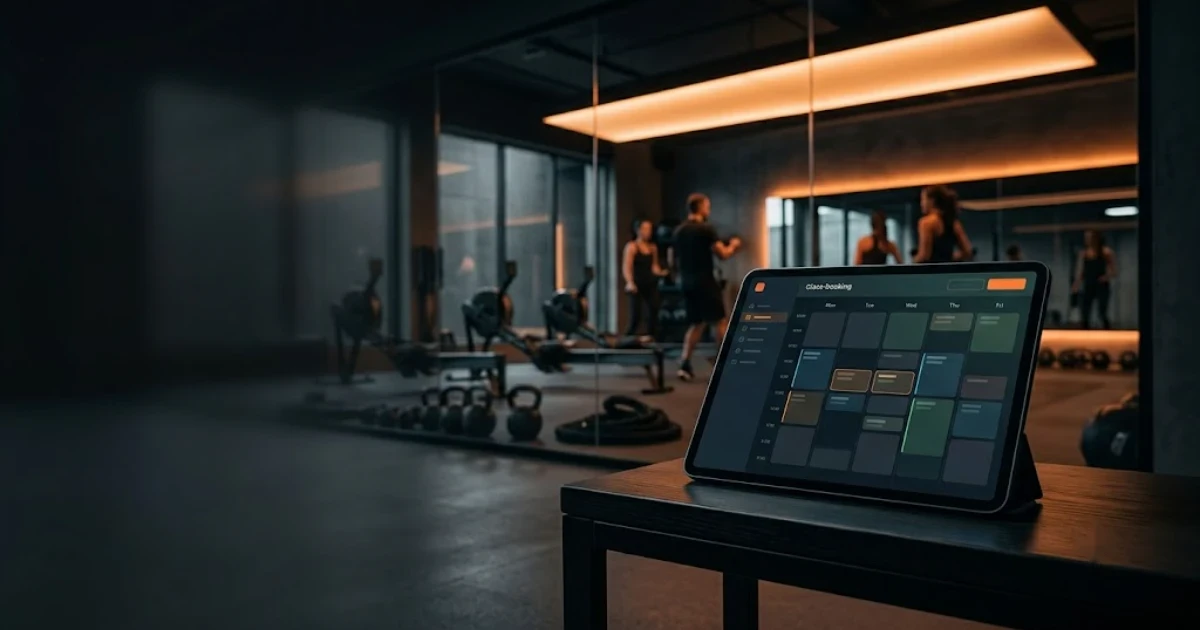
What a gym booking system and class scheduling software does
A gym booking system turns your weekly timetable into self-bookable slots, so members can reserve a spot, cancel if plans change and get reminders automatically, without calling your front desk. Gym class scheduling software is the staff side of the same tool: it decides which trainer runs which class, in which room, at what time. The right platform saves time across every working day, fills classes that would otherwise run half-empty, and gives you the clean data your business needs to grow.
The core booking process in plain terms
A member opens the app (your branded app on White Label, the GymIn app on GymIn) or website, sees that the 18:00 yoga class has four spots left, taps to book, and the count drops to three. White Label works the same way for a physical gym, a fitness studio or a fully online gym: you manage all clients like a gym, with memberships, which trainer works with whom, when they train and their training plans. Behind that one tap sits everything that keeps a gym running smoothly: a hard capacity limit so the room never overfills, a conflict check that confirms the trainer and studio are free, a link to the member's active package or payment method, and a scheduled reminder so the person who booked actually turns up. Get those steps right and your timetable manages itself instead of eating your staff's day.
The process breaks down when booking lives in a separate tool that knows nothing about your memberships or payments. A standalone calendar can show slots, but it cannot decrement a ten-class pack, flag that a member's subscription lapsed two days ago, or charge a card before confirming a paid drop-in. That is why booking works best as a native feature inside your gym management system, not a product bolted on from outside.
Gym booking system, reservation software or scheduling software: is there a difference?
In practice these are different names for the same product: software that publishes your timetable, lets members reserve a place, and keeps staff, rooms and payments in line with every booking. Each term just points at a different side of the job.
| What people call it | What the term usually emphasises | Who uses that side most |
|---|---|---|
| Gym booking system / booking software | Seeing live availability and reserving a spot online or in an app | Members |
| Gym reservation software / reservation system | Holding a fixed number of places in a class, a PT slot or an open-gym block | Members and front desk |
| Gym scheduling software / gym scheduler | Building the timetable: trainer, room, time, repeating every week | Managers and trainers |
| Fitness class management software | Everything after the booking: attendance, packs, payments, reporting | Owners |
When you compare products, check that one system covers all four rows. A tool that only handles the first row leaves your staff doing the other three by hand.
How an online gym booking system works, step by step
An online gym booking system lets members book from a website or app at any hour, while the software checks capacity, membership status and payment before it confirms the spot. A typical flow looks like this:
- You build the timetable once. Each class gets a trainer, a room, a capacity and a repeat rule, so Monday 18:00 HIIT appears every week without re-entering it.
- Members see live availability. The class shows how many spots are left, updated with every booking and cancellation.
- The system checks before confirming. Capacity, trainer and room conflicts, and whether the member has an active membership or class pack.
- Payment happens at booking. A card is charged for a drop-in, or one session comes off the member's pack.
- A reminder goes out. Push, email or text before the class, so the member turns up or cancels in time.
- Check-in records attendance. In Trainera that can be QR, NFC or turnstile check-in, tied to the member's profile.
- Cancellations reopen the seat. The freed spot shows as available for the next person straight away.
Memberships, check-ins, staff and payments in one place
Key features to look for in class booking software
The features that matter most are self-booking for every session type, capacity limits, conflict detection, automated reminders, staff assignment with attendance tracking, payments inside the booking flow and calendar sync. Not all booking software covers the same ground, so before you commit to any platform, run your real timetable against the list below and check whether each feature is included in the base pricing or sold as a separate add-on. If you are weighing Trainera against specific tools, the Trainera comparison pages put them side by side.
Self-booking for all session types
Your schedule probably includes more than one session type. Group classes like yoga, HIIT, spin, and Pilates each need different capacity rules. Personal training slots are one-to-one. Open gym time-blocks allow a larger cohort within a safe limit. A proper slot planner handles all of these on a single timetable, each with its own rules, without you building a workaround for every session format. Trainera.fit covers group training, personal sessions, classes without limit on format, and open gym, all from the same scheduling interface your staff already use.
Capacity limits and conflict detection
Capacity is both a safety issue and an experience issue. Set a hard cap per class and bookings stop at that number automatically: members see the class as full and you avoid turning people away at the door. Conflict detection is the quieter feature that earns its keep every day: before confirming any booking, the system checks that the trainer, the room, and the time are all free. Double-booking a coach or dropping two classes into the same studio is a common mistake when schedules are managed manually, and it embarrasses your business on the days it happens.
Email, text, and push reminders
No-shows are the silent tax on a gym's revenue. A booked-but-empty spot is a seat someone else could have taken and income you never collected. Automated reminders, whether push notification, in-app message, email, or text, nudge members to show up or cancel in time for the seat to reopen. Because reminders run automatically, your staff do not have to send manual messages across dozens of bookings every week. Fewer forgotten sessions means fuller classes and a schedule you can actually trust when you plan staffing and room allocation days in advance.
Gym staff scheduling and attendance tracking
Gym staff scheduling software assigns a named trainer and room to every session, blocks double-booking, and gives each staff member a view of only the schedule that belongs to them. Members want to know who leads their class before they commit, so the coach should be visible at booking. Assign trainers to slots with multi-trainer support and role-based access, and let recurring series and rosters carry the weekly pattern so you only edit the exceptions, such as a cover instructor for one Thursday. When a session runs, attendance confirmations and check-in record who actually showed, tied to each member's profile. A no-show becomes a visible data point rather than a gap that gets forgotten, and over time that data tells you which classes are strong and which need a different time slot or format to grow.
Payments built into the booking flow
Paid classes and session packages are a significant revenue stream for most fitness businesses, and booking software that ignores money forces you to chase payments separately. The cleanest process collects payment at the point of booking: a card is charged or a pack is decremented the moment the reservation is confirmed, with no manual step in between. Trainera handles this by selling packages online by card through the gym's own Stripe account with a 0% platform fee and package prices in several currencies, while bank transfers and cash taken at the desk are recorded in Trainera. Because scheduling and payments share the same database, a cancelled membership immediately affects the member's ability to book, with no re-keying required.
Google Calendar sync and trainer calendars
A trainer's work schedule and personal calendar need to agree. Google Calendar sync pushes confirmed sessions into the trainer's own calendar so a personal appointment and a coaching slot never collide. Both trainers and members get their own view of upcoming sessions, always in sync with the master schedule, so there is one source of truth rather than three different spreadsheets that contradict each other on a busy Friday.
Gym trainer booking system: personal training and appointment booking
A gym trainer booking system lets members book a one-to-one session with a specific trainer the same way they book a class, with the slot checked against that trainer's calendar and paid by card or from a session pack. It replaces the back-and-forth of messages that usually surrounds personal training appointments.
What to check in gym appointment booking software:
- Per-trainer calendars. Each coach has their own bookable slots, and a PT session blocks that trainer for any overlapping class.
- Session packs that count down. A member who buys ten PT sessions should see nine left after the first booking, with no manual tally.
- Clear cancellation rules at booking. Whatever window you set, for example 24 hours, should be shown when the member books, not hidden in the contract.
- Sync with the trainer's own calendar. So a dentist appointment and a 07:00 client never land in the same hour.
- The training plan in the same place. The session is more useful when the trainer can open the member's plan and logged workouts straight from the booking.
In Trainera, personal sessions sit on the same timetable as group classes and open gym, each with an assigned trainer, conflict detection and Google Calendar sync. Trainers can build the member's workout and nutrition plans from a library of 1,800+ exercises and 1,700+ meals and foods with macros, so the booked hour and the programme behind it live in one system.
Gym software with an app for booking classes
Look for gym software whose member app runs on iOS and Android (and ideally the web), so members can book, cancel, pay and check in from their phone without calling the desk. The app is what members actually touch every week, so it matters more to them than any admin screen.
A good class booking app lets members:
- See the live timetable with trainer names and spots left
- Book and cancel classes, PT sessions and open-gym slots
- Buy class packs or drop-ins and see how many sessions remain
- Get push reminders before each booking
- Check in at the door
- Follow their training plan and log workouts between classes
Trainera runs on web, iOS and Android in 28 languages, which helps gyms with an international membership. On the GymIn plan, members book through the GymIn app; on White Label, the same booking, payments, check-in and workout tracking appear in an app under your gym's own name. Check-in works by QR, NFC or turnstile, so the booking and the visit end up on the same member record.
Fitness studio scheduling software: what boutique studios need
Fitness studios need booking software built around class packs, small fixed capacities and visible cancellation rules, because most studio revenue comes from packs, drop-ins and class memberships rather than open-gym access. A yoga, Pilates, spin or boxing studio lives or dies on how full each class is.
- Capacity equals equipment. If you have 10 reformers or 24 bikes, the class cap should match exactly, and booking should stop there.
- Packs with expiry dates. Five, ten or twenty-class packs are the norm; the software should track remaining sessions and expiry automatically (and keep expiry inside local rules, see the country table below).
- Drop-ins paid at booking. A visitor should pay by card when they reserve, not at the door.
- Instructor cover. Swapping the instructor on one class should not mean rebuilding the whole series.
Trainera's White Label plan works the same way for a studio as for a big-box gym or a fully online gym, with packages priced in several currencies and sold through your own Stripe account.
Classes without chaos: building a timetable that runs itself
Running classes without solid scheduling software usually means your team spends a meaningful portion of each day answering booking questions, manually checking capacity, and reminding members who forgot they signed up. The administrative load compounds across the working days of the week: a gym offering ten classes per day and five working days has fifty sessions to coordinate, each with its own trainer, room, capacity, and payment state. Software automates the repetitive parts of that process so your staff focus on coaching and member experience instead.
A well-built timetable also helps you grow. When every class is bookable in seconds, members try formats they would never have called to reserve: yoga when they normally only do weights, an early spin slot they spotted while booking their usual evening session. That discovery effect fills classes that used to run half-empty and gives you real booking data to decide which times and formats deserve more slots on the schedule.
Is there a free or simple gym booking system?
Free gym booking options exist, but they are usually generic tools (a shared calendar, an online form or a spreadsheet) that cannot check memberships, count down class packs or take payment at booking. They work for a handful of classes a week; once you sell packs or memberships, reconciling them by hand costs more staff time than software does.
| What you need | Free generic tool | Gym booking software |
|---|---|---|
| Members book online | Yes | Yes |
| Hard capacity limit per class | Sometimes | Yes |
| Trainer and room conflict check | No | Yes |
| Checks active membership or pack | No | Yes |
| Payment or pack deduction at booking | No | Yes |
| Check-in and attendance on the member record | No | Yes |
| Member app | No | Yes |
A simple gym booking system is not the same as a free one. Simple means members can book in two taps and staff rarely have to touch it, which usually takes software that does more behind the scenes, not less. Trainera's GymIn plan starts with a 7-day trial, no card needed, so you can test the full booking flow at no cost; current plan prices per country are on the Trainera pricing page. Independent personal trainers coaching online can start on Trainera's free coach plan for up to 3 clients.
Pricing and what to expect
Booking software pricing varies widely. Some platforms charge a flat monthly fee that covers all features, while others start with low headline pricing and add per-feature costs for things like reminders, payment processing, or branded apps. Before you compare numbers, list the features your business actually needs (self-booking, capacity controls, reminders, payments, staff calendars) and check whether each one is in the base price or behind an upgrade.
Trainera.fit's GymIn plan starts with a 7-day trial, with no per-feature add-ons, so you can run your real timetable through the platform before you commit to any pricing tier. Scheduling, payments, memberships, coaching, and a member app on iOS and Android (under your gym's own name on White Label) are all part of the same product rather than separate modules with separate invoices.
Class scheduling in the UK, Australia and Canada: tax, payments and contract rules
A timetable is a timetable anywhere. The local part is what sits behind a paid class: the tax on it, how class memberships are collected, and the rules on how long a member can be tied in or how fast they can cancel.
| Country | Tax on paid classes | How class memberships are usually collected | Rule to build into packs and terms |
|---|---|---|---|
| UK | VAT 20% once registered (over £90,000); commercial classes are standard-rated | Bacs Direct Debit or card | Subscription rules from January 2027: reminder notices and a 14-day renewal cooling-off, per a law-firm summary |
| Australia | GST 10%, registration at A$75,000 | BECS direct debit or card | NSW: no pre-paid fees beyond 12 months; Queensland: 48-hour cooling-off |
| Canada | GST 5%, HST 13-15%, QST 9.975% in Quebec; small supplier up to C$30,000 | Pre-Authorized Debit or card | Ontario: 1-year maximum for prepaid C$50+ memberships; Quebec caps the cancellation fee |
What this means for the schedule: price class packs and drop-ins with the tax included where members expect it, keep pack expiry dates inside the local limits (12 months is the NSW ceiling for pre-paid fees), and make the cancellation rules visible at booking, not only in the contract. A class pack paid by card is simple in all three countries; a rolling class membership on Bacs, BECS or PAD needs the notice and cancellation steps of that scheme.
Trainera's class planner handles recurring series and rosters, and packages can be priced in GBP, AUD or CAD and sold by card through the gym's own Stripe account with 0% platform fee. It has no built-in direct debit. Country guides: the UK, Australia and Canada; the debit schemes are compared in gym direct debit in the UK, Australia and Canada. Not tax advice: check rates and registration with an accountant.
How scheduling fits inside a complete gym platform
The best gym training and booking software keeps classes, memberships, payments, check-in and members' training plans in one system, so every booking reflects what the member has paid for and what they are training towards. You could buy a standalone booking tool and integrate it with your membership software, your payment processor, and your coach communication system. Plenty of gyms try this approach and then spend significant time each month reconciling three systems that drift out of sync. When a member cancels their membership, does the booking tool know? When a package runs out mid-month, does the class reservation page reflect that? Standalone tools rarely answer those questions cleanly.
Trainera takes the opposite approach: scheduling is one feature inside a complete gym module that also handles member management, memberships and packages, check-in, staff roles, and equipment tracking, under your own brand on White Label. The class a member books, the package they paid for, the coach who leads the session, and the app they open every day are all the same system. Add the coaching layer (1,800+ exercises, 1,700+ of them with video, AI-assisted training and nutrition plans, live workout tracking, and a member app under your gym's own name on White Label) and booking becomes one part of a platform that does the full job of running a modern fitness business.
If your gym runs yoga, HIIT, personal training, and open gym sessions and you want all of them bookable, paid, reminded, and tracked in one place, the scheduling module inside Trainera is built for exactly that workflow. Start a 7-day trial on Trainera and put your real class timetable through the platform today.
Every Trainera gym plan (GymIn, White Label and Enterprise) also includes Education: courses with video lessons, quizzes and certificates that you assign or sell to members or include in a membership package, with each member's progress in one place.
Run a gym or studio? Trainera brings memberships, QR check-in, a branded member app (White Label) and payouts into one gym management software: start a 7-day trial, no card needed.
Related reading
Frequently Asked Questions
Keep Reading
Memberships, check-ins, staff and payments in one place
QR and turnstile check-in, membership packages, staff logins and a gym website, with no per-member fees. We move your members from your current software for free.