AI Form Checker App: How Camera Form Correction Works
Get your free AI training and nutrition plan in 60 seconds
An AI form checker watches your joints through the camera and speaks one correction per rep. Here is what it actually measures, why it gives one cue at a time, what it cannot see and how to get useful feedback from it.
What does an AI form checker actually check?
An AI form checker uses your phone camera to track joint positions while you train and compares them with what a clean rep should look like. It can judge depth, lockout, alignment, tempo and left-right balance, then tells you the single most important fix. It cannot feel load or see what the camera angle hides.
Updated 6 November 2026. TRAI Vision is our own product; the behaviour described is how it works in the current Trainera app.
Get your free AI training and nutrition plan in 60 seconds
From pixels to coaching cues
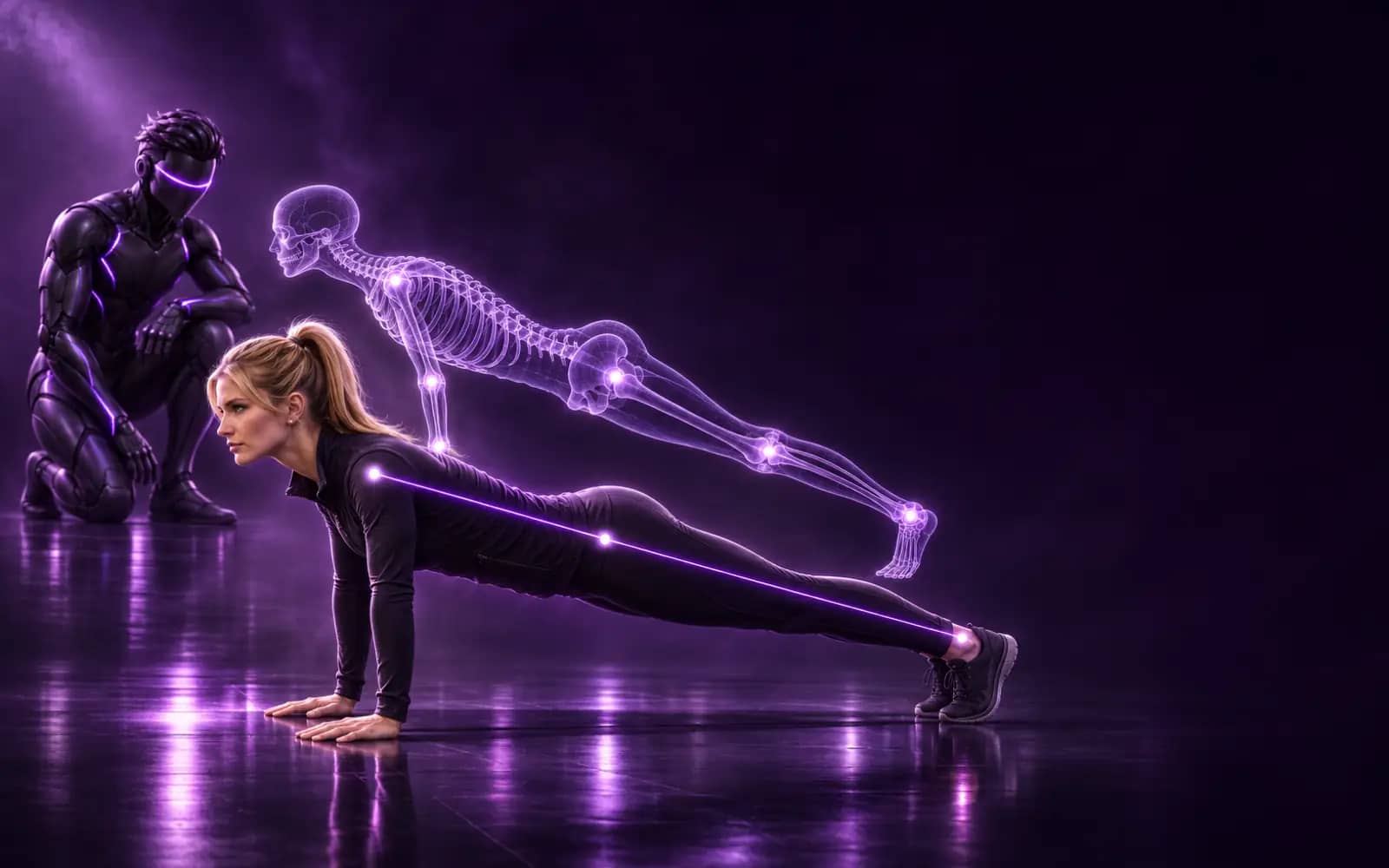
Form checking starts with pose estimation. Google's MediaPipe Pose Landmarker tracks 33 body landmarks in each camera frame. Joint angles, distances and their change over time turn those points into measurable features: how far your hips descend in a squat, whether your elbows drift away from your sides in a curl, whether your hips sag below the shoulder-to-ankle line in a push-up.
A form checker then needs rules for each exercise: which angle defines depth, which position counts as lockout, which deviations matter. That is where coaching knowledge comes in. The model sees points; the exercise logic decides what those points mean.
What a camera can measure well
| Feature | Example cue | Best camera angle |
|---|---|---|
| Range of motion | "Go lower", "Curl all the way up" | Side |
| Lockout | "Stand all the way up", "Straighten your arms at the top" | Side |
| Knee tracking | "Push your knees out" | Front |
| Trunk and hip line | "Hips up", "Hips down", "Chest up" | Side |
| Upper arm position | "Keep your elbows at your sides" | Side or 45° |
| Tempo | "Lower the weight slowly", "Don't bounce at the bottom" | Any |
| Left-right balance | "Press both arms evenly", "Raise both arms evenly" | Front |
| Range limit | "Stop at shoulder height" | Front |
Notice the third column. A single camera sees in two dimensions, so each fault is visible from some angles and invisible from others. Knee collapse is obvious from the front and nearly hidden from the side; squat depth is the opposite.
Why TRAI gives one cue per rep
TRAI Vision speaks one correction per rep. When several things go wrong at once, it picks by priority: safety first, then the movement itself, then detail. A knee caving in beats a slightly short range; a short range beats a tempo nitpick.
This mirrors how good coaches cue. Mid-set you have room for one instruction, and short cues about the result of the movement tend to work better than a list of body parts. Gabriele Wulf's review of 15 years of attentional focus research found that directing attention to the effect of a movement generally improves performance and learning compared with focusing on the body itself. "Push your knees out" or "Stop at shoulder height" give you something concrete to do on the next rep.
The angle decides what is judged
TRAI knows whether the camera sees you from the front, the side or at 45 degrees, and it only judges what it can see from there. Before each exercise the app shows the recommended position, about 2 to 3 metres away, at hip height or on the floor. If you set the phone at a different angle, cues that need the missing view are simply not given. It does not guess.
Calibration helps too: you hold the start position for 2 seconds so TRAI can measure your proportions before the first rep counts.
Rated reps and the set summary
Each rep gets a dot: green for clean, amber when TRAI found a fault. At the end of the set you hear and see a summary in the form "7/10 good reps, most common: Push your knees out". That one line is the most useful output. If the same fault shows up set after set, it usually means the load, the depth target or the setup needs to change, not that you need to try harder.
For holds the logic is stricter: the plank clock only runs while your position is right. Let your hips drop and the clock stops until you fix it.
What an AI form checker cannot do
- It cannot see what is hidden. Anything blocked by your own body, the equipment or the angle is out of reach. That is why most machine and cable exercises are counted without form cues, and stations that hide the body, cardio machines, stretches, throws, Olympic lifts and carries are not tracked at all.
- It does not produce a form score. TRAI rates each rep green or amber and names the most common fault; there is no number out of 100.
- It does not keep a form history. The cues are spoken during the set. Only the counted reps are saved to your workout.
- It does not know your body's history. An old injury, mobility limits or a coach's deliberate technique choice can make a "fault" correct for you.
- It needs enough processing power. On slower devices TRAI keeps counting but turns form checks off and tells you.
How to get useful feedback from it
- Start with a load you can move cleanly for the target reps. Form feedback on a grinding max effort is mostly noise.
- Use the camera angle the exercise asks for, not the one that is most convenient.
- Listen for the repeated cue, not every cue. One recurring fault is the thing to work on next session.
- Pair it with a technique guide. Our squat technique guide and hip thrust form guide explain why each cue exists.
- If you work with a coach, tell them the most common fault from your summaries; they can adjust your plan around it.
Privacy
The pose model runs on your device. The video is never uploaded or stored and the microphone is not used. Coaching voices are available in 28 recorded languages and work offline once downloaded. More detail in our on-device privacy explainer.
Get a second pair of eyes on every set. TRAI Vision is free in Trainera on the web, iOS and Android. Create a free account and start the camera on a supported exercise, or read more about the AI fitness coach.
Frequently Asked Questions
Can an app really check my exercise form?
How many corrections does TRAI Vision give per rep?
Which exercises get form correction?
Does it give me a form score?
Can my trainer see the form feedback?
Is it a replacement for a coach?
Keep Reading
Get your free AI training and nutrition plan in 60 seconds
1,700+ exercises, wearables and progress tracking, free with no card needed. AI food scanning comes with Premium. Train solo or with a certified coach.